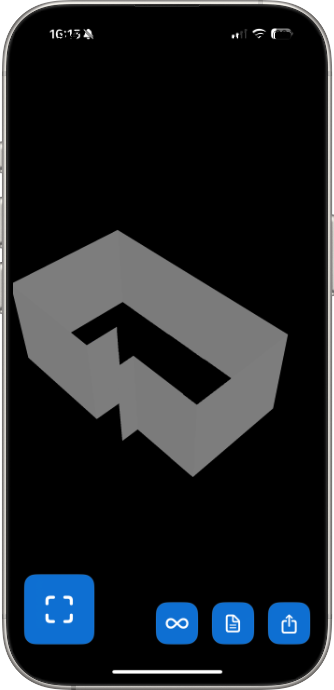
LiDAR room scanner
Point your device and Flooring It maps the space in about 60 seconds—then exports a print-ready PDF, CAD-ready vectors, and AR-ready 3D models. No tape measure, no graph paper.

Your iPhone Pro or iPad Pro's LiDAR does the measuring. Walk around a room once and Flooring It gives you a measured floor plan and a PDF you can print, free and unlimited—no tape measure, no graph paper, no guesswork. Flooring It Pro adds the other five export formats and works out how much paint, flooring and skirting you need.
Point your device and walk the room. Walls, corners and openings trace themselves in real time, with live feedback so you can see exactly what’s been captured.
Export a print-ready PDF as often as you like, for nothing. With Pro, the same scan also gives you razor-sharp vectors, CAD-friendly files and 3D models. Re-open a saved scan anytime to export a new format without re-scanning.
Send it anywhere iOS goes: AirDrop to your Mac, email the PDF, message the vector to a designer, or drop the 3D model into AR—all with the share sheet you already know.
From listing a property to planning a remodel—one scan does the measuring.
Free on the App Store, for iPhone Pro and iPad Pro. Scan as much as you like; Pro is a one-time purchase if you want it.
PDF export is free and unlimited, with a light watermark. Flooring It Pro removes the watermark and unlocks the other five formats. See the full guide

A print-ready floor-plan PDF with measurements on every wall. Perfect for emailing, printing, or sticking on the fridge.

Infinite-zoom vector diagrams that stay razor-sharp at any size. Ideal for presentations or high-resolution print media.

AR-ready 3D models you can drop into any compatible app—walk around your scanned room in augmented reality on iOS.

A universal 3D mesh export in Wavefront OBJ format, ready to import into any major 3D application or printing pipeline.

A Reality Composer package for Apple’s RealityKit—tweak materials, lighting, and animations straight from your Mac.

Raw room geometry and metadata in JSON—plug into your own scripts, analytics, or custom design pipelines.
Flooring It scans with the LiDAR sensor on your iPhone Pro or iPad Pro. It captures room shape, walls, doors and windows in about a minute, and the plans are good enough to plan from, quote from and file.
It is not a laser distance meter. Before you order materials, measure the spans that matter with a laser and check them against the scan. Then add your usual waste factor.
Use the scan for the drawing. Use your laser for the numbers you are going to spend money on.
No ads. No account. No subscription. Every scan is processed on your device and never leaves it.
One purchase, not a subscription. Buy it once and it stays bought. The App Store shows the price in your own currency.
Your rooms aren't going to measure themselves.
Flooring It requires LiDAR technology, which is only available on specific Apple devices. What is LiDAR?
 Works with these devices
 Won't work with these
Not sure if your device has LiDAR? Look for the small black circle next to your rear cameras—that's the LiDAR scanner.