CHECKS AND BALANCES · COMING SOON FOR MAC
Personal finance
that stays personal.
A full finance app for the Mac. Bring in decades of Quicken history or your bank's own downloads, keep every account reconciled, see where the money goes. Your records live in one file on your Mac, and nowhere else.
We took the cloud out of the middle.
- Your bankYou download a file, the way you always could
- Somebody's serversYour password handed over. Every transaction kept, studied and rented back to you monthly. (crossed out)
- Your MacWhere your records live, and the end of the journey
There is no server of ours for the app to talk to, so there is nothing for us to breach, sell or hand over. The one thing that touches a network is buying the app, and Apple handles that.
The deal changed. We didn't take it.
For thirty years the apps people trusted with their money kept it on their own computer. Then, one by one, they moved to the cloud and behind a subscription. To keep using the software you had relied on for decades, you now had to upload a complete map of your financial life to someone's servers and pay every month to look at it.
Checks and Balances starts from the opposite belief. A finance app can be properly capable and still keep your records on your own machine. The accounting is real double-entry. The sorting and the reports are computed on your Mac. The file is yours, in a format you can open with other tools, and you can export the lot whenever you like.
We are a tiny studio in Ireland. You pay us once for the software. That is the whole business, which is why we never need to make a business out of you.
Decades of history in one file you own. Every balance right.
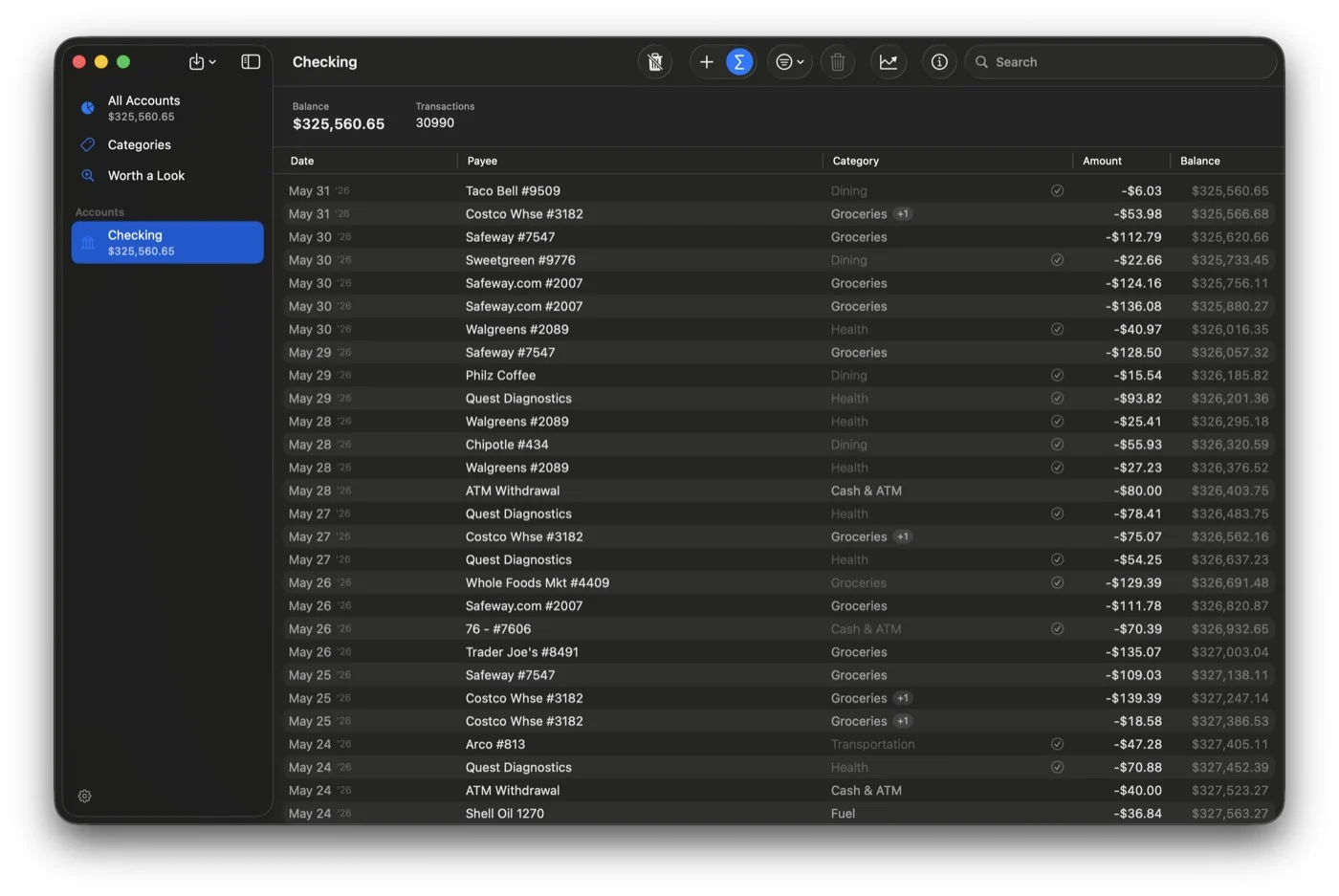
Find it as you type.
Type an amount and it finds the transaction, whether the money went in or out. Type the start of a name and the matches appear as you type, ranked, across payee, memo, category and tags. You do not need the whole word, or the right account.
READS
- QIF
- QFX
- OFX
- CSV
- CAMT.053
- MT940
Decades of Quicken history in one go. The "download transactions" file from US banks, the statement exports from European ones, and any spreadsheet. Bring the same file in twice and nothing is duplicated.
Everything you open a finance app for, and nothing to get in the way.
-
Sorted on your Mac
Transactions are categorised on your own machine, and the app learns from your corrections. Anything it is unsure of waits in Needs Review instead of being guessed at.
-
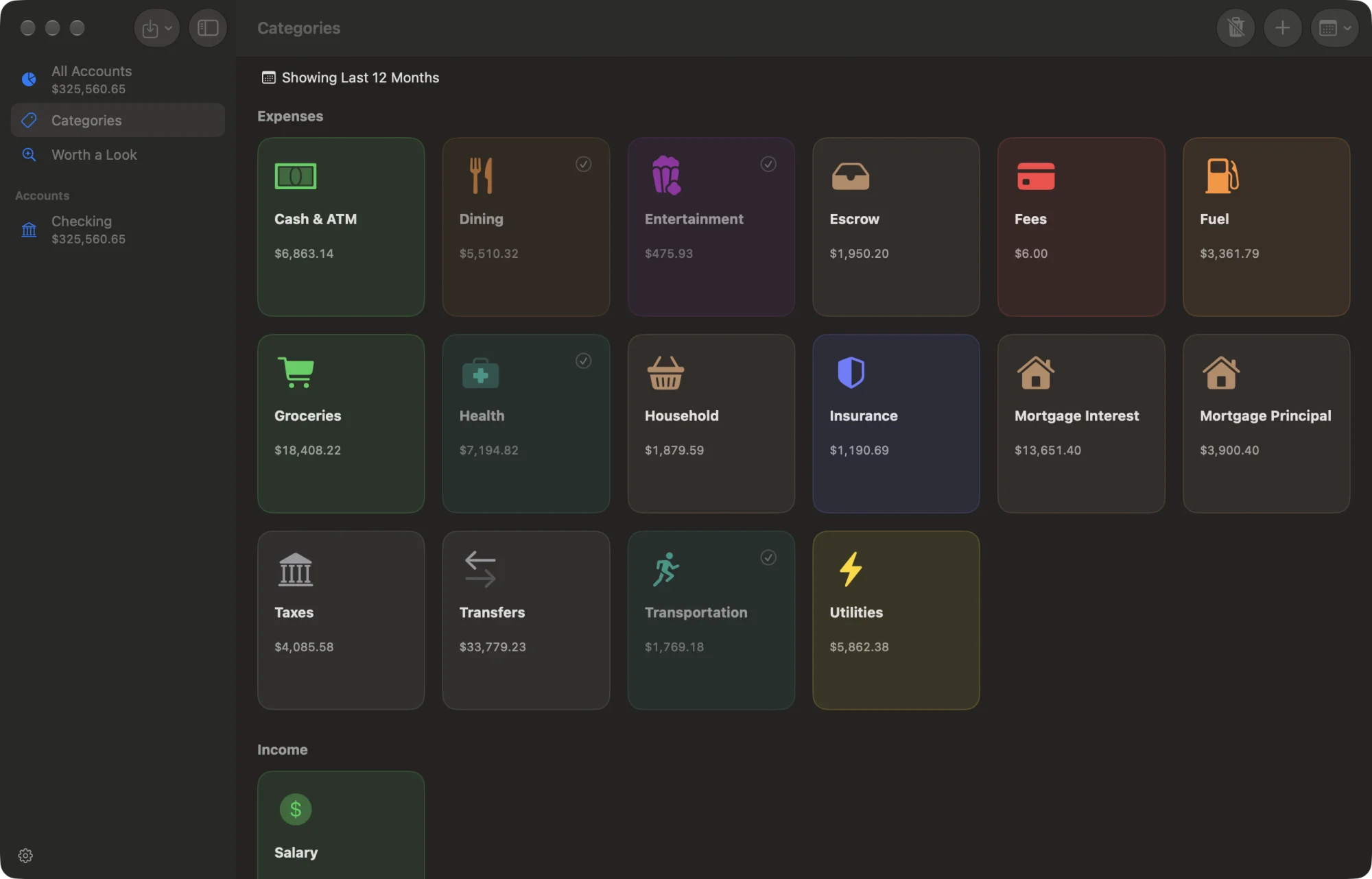
Where it went
Spending by category and by month, income against outgoings, the balance of each account over time. One picture per account and one for the whole household.
-
A number on a category
That is all a budget is here. A quiet fill shows how the month is going against it. No red, no alarms, no lecture.
-
Worth a look
A bill that has crept up. A charge that started recently. The app states the facts in your own numbers and leaves the conclusion to you. It never gives advice.
-
Receipts, read on the spot
Photograph a receipt with your Mac or your iPhone. It is read on your machine and matched to the purchase, and it stays with the transaction.
-
Kept safe
Your book can be encrypted on disk and opened with Touch ID. The app keeps verified backups and quietly restores one if the file is ever damaged. Export to CSV or QIF at any time.
Also in the box: the system search field for a payee, an amount or a note. Reconcile by typing the balance from your statement. Transfers between your accounts matched automatically. Edits that save as you type, and ⌘Z for everything.
Things it will never do.
On purpose. Each of these is how a calm finance app turns into the thing we were trying to get away from.
Ask for your bank password.
There is no bank sync, by design. Syncing means handing your credentials to a service that logs in as you. The app reads the files your bank already gives you instead.
Phone home.
No account, no telemetry, no crash reports, no "anonymous usage data". We would rather not know than make you wonder.
Nag you.
No notifications, no badges, no streaks, no guilt about a coffee. Insight is something you walk up to when you want it.
Do your taxes.
Most households never itemise, and the tax machinery is what makes the old apps feel like filing cabinets. We leave it out.
Pay your bills.
Moving your money would mean connecting to your bank. See number one.
Track your portfolio.
Investment accounts count toward your net worth at the value you give them. There are no live quotes and no holdings engine.
Charge you again next year.
You bought the software. It keeps working.
Nothing leaves
your Mac.
Your book is one file in your own folder. The categorising, the reports and the receipt reading all run on your Mac using Apple's own on-device frameworks. There is no fallback to a server, because there is no server.
The privacy manifest inside the app declares that it collects nothing, and the App Store label will say the same: Data Not Collected.
This page keeps the same rule: no analytics, no cookies, nothing loaded from anywhere else.
Data not collectedPrice
$19.99, once. Try it free for 30 days first.
When it ships, the trial will be here to download, so you can bring your own history in before you decide. When the 30 days are up the app turns read-only: everything you entered stays readable, reportable and exportable. Buy it, and the same book carries on where it left off.
US price; the App Store shows yours. Requires macOS 26. In English.
One note when it ships. Nothing else.
An email the day Checks and Balances is on the Mac App Store and the trial is ready to download. No newsletter, no reminders.
Your address, and where you found this page, go to Merano Studio and no one else. The note has a link to leave, and the address is deleted if you never confirm it.