60 seconds from starting a scan to holding a measured floor plan. No graph paper, no tape measure, no appointment with a drafter.
You know the feeling. You need a floor plan -- maybe for a renovation estimate, maybe because you're rearranging an office, maybe because the insurance company asked for one. And suddenly you're standing in a room with a tape measure in one hand, a pencil in the other, and graph paper that keeps curling up on itself.
You measure one wall. Write it down. Measure another wall. Realize you forgot to account for the doorway. Start over. Get a number that doesn't match your first measurement. Measure a third time. Wonder whether you're measuring to the inside of the baseboard or the outside. Spend ten minutes figuring out the angle of that one weird wall in the corner that isn't quite 90 degrees.
Forty-five minutes later, you have something that vaguely resembles a floor plan, drawn in pencil, with at least two measurements you're not confident about. And then someone asks, "Can you email that to me?" and you realize you need to start all over in a digital format.
There's a faster way.
Here's the entire workflow with Flooring It. It's not complicated.
Open Flooring It on your iPhone or iPad. The LiDAR scanner activates immediately. Point your device at the walls of the room. That's it -- no calibration, no setup wizards, no account creation.
Slowly pan your device around the room. Flooring It shows you real-time visual feedback -- you can see walls being detected, corners being mapped, and the room taking shape on screen. When every wall is captured, you're done.
Tap Share. Pick your format -- PDF, SVG, USDZ, OBJ, Reality, or JSON. Send it wherever it needs to go via AirDrop, email, Messages, or save it to Files. Done.
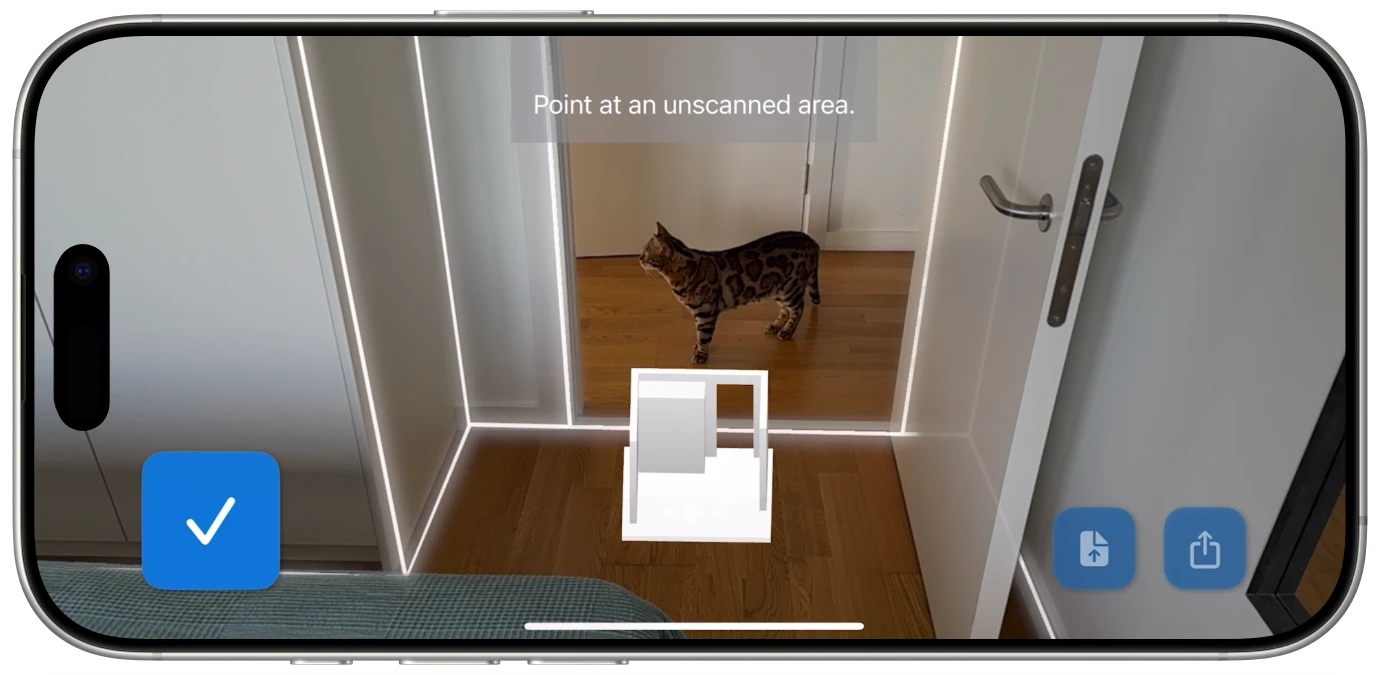
The whole process -- from opening the app to having an exportable floor plan -- takes about 60 seconds for an average-sized room.
Let's be honest about the time investment for different methods. These are real-world estimates, not marketing numbers.
Time: 30-60 minutes per room
This is the classic approach. Measure each wall individually, note the position of doors and windows, sketch everything to scale on graph paper, then double-check your measurements because you inevitably transposed two numbers somewhere. Works fine for simple rectangular rooms. Gets painful fast with L-shaped rooms, alcoves, or any non-standard geometry.
And when you're done, you have a paper document that can't be emailed, can't be edited digitally, and can't be imported into any design software. If you need it in digital form, add another 20-30 minutes to recreate it on a computer.
Time: Days to weeks (scheduling + visit + delivery)
A professional floor plan costs anywhere from $150 to $500+ depending on the size of the space and the level of detail. The results are high-quality, but the turnaround is measured in days, not minutes. You need to schedule a visit, be present when they arrive, and wait for delivery of the finished documents. For large commercial spaces or legally binding documentation, this might be worth it. For everything else, it's massive overkill.
Time: 5-15 minutes per room
Faster than manual measurement, but photo-based apps require more user interaction. You typically need to identify corners manually, confirm wall positions, and sometimes adjust the results afterward. Accuracy varies depending on lighting, room complexity, and how carefully you follow the app's instructions. It's a solid middle ground, but it still requires your active attention and input throughout the process.
Time: About 60 seconds per room
Open the app. Pan around the room. Export. The LiDAR scanner does the measuring, not you. There's no corner-tapping, no manual adjustment, and no post-scan editing required. The app identifies walls, measures distances, and generates a complete floor plan automatically. And because the output is digital from the start, you can share it immediately in whatever format the recipient needs.
For a typical three-bedroom apartment, you're looking at roughly 5-7 minutes to scan every room. With the tape measure approach, that same job would take most of an afternoon.
Speed isn't just about how fast you can scan a room. It's also about how quickly you can get the result into the format you actually need.
This is where a lot of room scanning apps slow down. You finish your scan, and then you need to figure out how to get it into the right format. Some apps only export JPEGs -- screenshots, basically -- which aren't useful for anything that requires accurate measurements. Others offer PDF but nothing else, so if your architect needs a vector file, you're out of luck.
Flooring It exports every scan to six formats, instantly:

Print-ready floor plans with measurements on every wall. The universal format that everyone can open.
Vector graphics that stay sharp at any zoom level. Drop into presentations, design tools, or web pages.
AR-ready 3D model. View the room in augmented reality directly on your iPhone or iPad.
Standard 3D mesh format. Import into Blender, SketchUp, AutoCAD, or any major 3D application.
Apple RealityKit package. For developers building spatial computing and AR experiences.
Raw geometry data. Plug into custom scripts, analytics pipelines, or your own applications.
Every format is available from every scan -- PDF free and unlimited with a light watermark, the other five with a one-time Pro purchase. You don't choose in advance -- you scan once and export later to whatever you need. Changed your mind about the format? Just open the saved JSON file in Flooring It and re-export. No re-scanning required.

A quick room scanner isn't just a convenience. In some situations, speed is the entire point.
You're viewing the third apartment today and you need to know if your couch will fit in the living room. The landlord is standing in the doorway waiting. You don't have time to pull out a tape measure and sketch a floor plan. With Flooring It, you can scan the room while you're walking through it -- 60 seconds, and you have the room's dimensions saved on your phone to review later.
After a flood, fire, or other damage, you need to document the affected space quickly. Insurance adjusters want measurements. A fast floor plan scan captures the room dimensions while the situation is still fresh, and the PDF export gives you documentation ready to submit with your claim.
You're an agent with four open houses today. Creating floor plans for each listing used to be a half-day project. With a 60-second scan per room, you can document an entire property between events, exporting professional PDFs that add real value to your listings.
You're checking out a venue for a wedding, conference, or corporate event. You need to know the room dimensions to plan table layouts, staging, and flow. A quick scan gives you accurate measurements you can take back to the office and work with, rather than trying to remember details from hastily scribbled notes.
A contractor arrives at your house for a renovation estimate. Instead of spending the first 20 minutes of the appointment measuring, you hand them a PDF floor plan that you scanned in 60 seconds that morning. The meeting can focus on the actual renovation discussion, not on someone crouching in a corner with a tape measure.
The speed of Flooring It comes down to what LiDAR eliminates from the process.
No manual measurement. The LiDAR scanner fires thousands of infrared pulses per second, measuring the distance to every surface in the room simultaneously. You don't need to hold a tape to each wall individually -- the sensor captures everything at once as you pan around the room.
No corner identification. Photo-based scanning apps often require you to tap on corners and identify wall boundaries manually. LiDAR detects wall surfaces automatically based on the spatial data it collects. You just point and move; the app figures out where the walls are.
No post-processing. The scan produces a usable floor plan immediately. There's no "processing... please wait" screen, no cloud upload, and no manual adjustment step. When the scan is complete, the floor plan is ready to export.
No re-scanning. Because Flooring It saves the complete room data in JSON format, you never need to physically return to a room to get a different export format. Scan once, export to all six formats whenever you need them, from wherever you are.
The result is a workflow that respects your time. You spend about 60 seconds actively scanning and zero seconds waiting, adjusting, or re-doing.
Some room scanning apps have grown into full project management platforms with cost estimators, shopping lists, cloud collaboration, and subscription tiers. That's great if you need all of that.
But if you just need a floor plan -- quickly, accurately, in the format you need -- then the simplest tool is the best tool. Flooring It does one thing and does it well: turn any room into a measured, exportable floor plan in about a minute. Open, scan, share. That's the entire app.
No account to create. No tutorial to sit through. No settings to configure. No subscription to manage. Just a room scanner that gets out of your way and lets you get on with your day.
The fastest floor plan you've ever created is 60 seconds away.