A no-nonsense guide to choosing the right floor plan app -- what actually matters, what doesn't, and where LiDAR changes everything.
A few years ago, creating a floor plan from your phone meant one of two things: manually tapping corners on a screen and hoping for the best, or paying a professional to show up with a laser measurer and a clipboard. Both approaches worked. Neither was fast.
Then Apple put a LiDAR scanner on the iPhone 12 Pro and everything shifted. Suddenly your phone could fire thousands of infrared light pulses per second, mapping the geometry of a room with the kind of accuracy that used to require dedicated hardware. The apps caught up fast. Today, the best room scanning apps use that LiDAR data to generate measured floor plans in under a minute.
But not all room scanner apps are created equal. Some rely on older photo-based techniques. Others have LiDAR support but lock useful features behind paywalls. A few nail the scan but stumble on export options. If you've been searching for a magicplan alternative, a RoomScan alternative, or just the best floor plan app for iPhone, this guide is for you.
Before comparing specific apps, it helps to know what separates a good room scanner from a mediocre one. Here are the four things that matter most.
This is the whole point. A floor plan that's off by six inches in every direction isn't a floor plan -- it's a rough suggestion. The best scanning apps use LiDAR to capture wall positions, room dimensions, and spatial relationships with centimeter-level precision. Photo-based methods can get you in the ballpark, but LiDAR gets you to the pitcher's mound.
A scan is only as useful as what you can do with it afterward. Some people need a PDF to email to a contractor. Others need an SVG for a design presentation. Architects might want OBJ or USDZ files for 3D modeling. The more export options an app offers, the more situations it covers without requiring you to jump between tools.
If an app takes 20 minutes of calibration before you can scan a single wall, you're going to reach for the tape measure instead. The best room scanner apps let you start scanning within seconds of opening them. Point, walk, done. No tutorials required, no fiddly manual adjustments.
Room scanning apps range from completely free to subscription-based models that charge monthly. Neither model is inherently better -- what matters is whether you're getting real value for the price. A free app that only exports low-resolution screenshots isn't really free. A paid app that saves you hours of work might be a bargain.
This is the single biggest dividing line in the room scanner app market, so it's worth understanding the difference.
Photo-based scanning uses your phone's camera to estimate room dimensions from images. You typically stand in the center of a room and slowly pan around, or you tap on corners and edges in a photo. The app then uses computer vision algorithms to infer distances and angles. It works reasonably well in simple, well-lit rooms with clear corners. It struggles with curved walls, cluttered spaces, low light, and rooms with unusual geometry.
LiDAR-based scanning uses an infrared laser to directly measure distances to every surface in the room. It doesn't estimate -- it measures. This means it works in any lighting condition, handles complex room shapes accurately, and produces results that are consistently precise across different environments. The trade-off is that LiDAR scanning requires a device with a LiDAR sensor, which currently means an iPhone Pro (12 Pro or later) or an iPad Pro (2020 or later).
For casual use -- say, getting a rough sense of a room's size before buying furniture -- photo-based scanning is often good enough. For anything where measurements actually matter -- renovation planning, architectural documentation, real estate listings, insurance claims -- LiDAR-based scanning is the clear winner.
The App Store has no shortage of options. Here's a fair look at what's out there and where different apps tend to focus their efforts.
magicplan has been around since 2012 and was one of the first room scanning apps to gain mainstream attention. It offers AR-based scanning with a strong focus on real estate and renovation workflows. It has built out an extensive feature set including cost estimation, shopping lists, and cloud collaboration. For professionals who need a complete project management platform built around floor plans, it's a well-established choice. The trade-off is complexity -- it does a lot of things, which means it takes longer to learn and the interface can feel busy for someone who just wants a quick scan.
RoomScan (and its successor RoomScan LiDAR) was another early mover. The original version used an innovative "touch the wall" method where you physically placed your phone against each wall. Newer versions incorporate LiDAR scanning. It's well-regarded for ease of use and has a loyal following. People searching for a RoomScan alternative often want more export flexibility or broader format support.
Canvas (by Occipital) targets the professional market with high-accuracy 3D room models. It integrates with CAD tools and produces detailed output. It's powerful but comes with a professional price tag and a steeper learning curve.
Polycam does excellent 3D capture and photogrammetry -- it's more oriented toward creating 3D models of objects and spaces than producing traditional floor plans, but it's worth mentioning because it uses LiDAR effectively.
People searching for the best room scanning app, a magicplan alternative, or a free room scanner app often want something specific: accurate LiDAR-based scanning, multiple export formats, and a simple workflow that doesn't require a learning curve. That's exactly where Flooring It fits in.
Six export formats. Sixty seconds. Zero complexity.
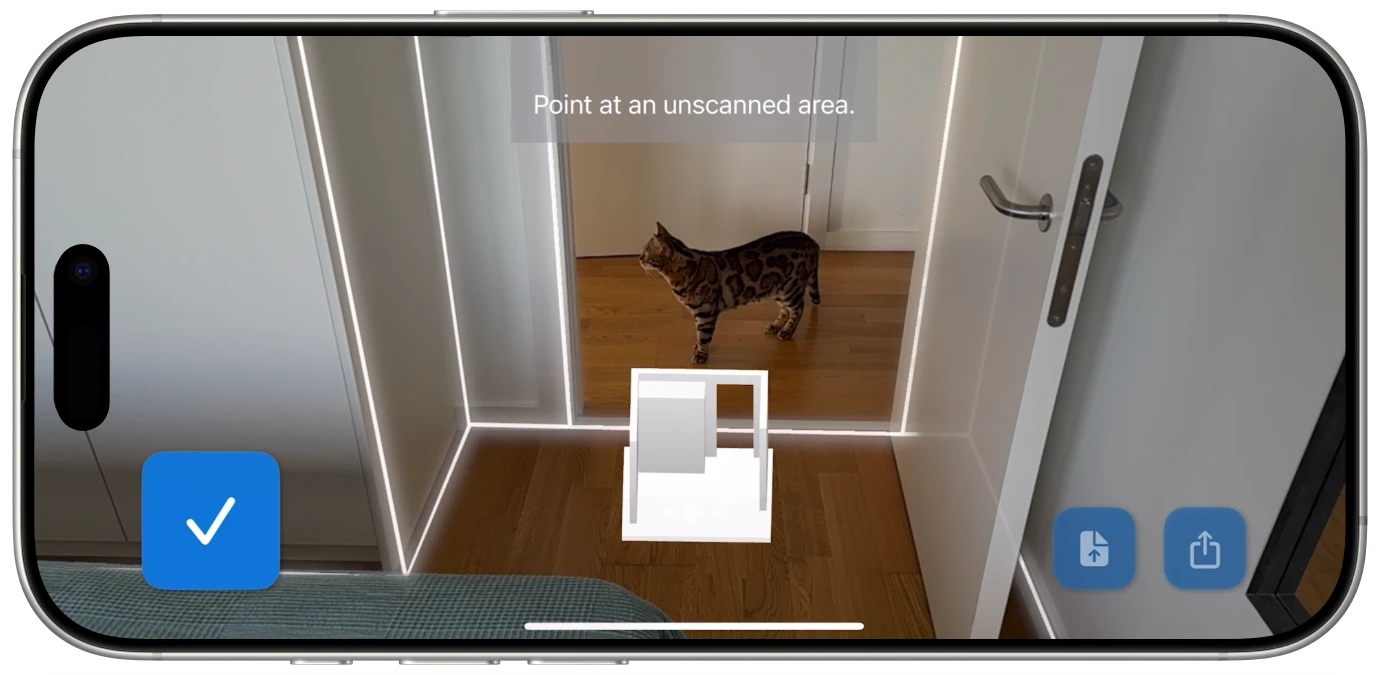
Flooring It was built around a specific idea: room scanning should be fast, accurate, and immediately useful. You open the app, point your iPhone or iPad at the walls, and let LiDAR do its thing. Within about 60 seconds, you have a complete room scan ready to export.
Here's where it gets interesting. Most room scanner apps give you one or two export options -- usually a PDF and maybe a JPEG. Flooring It exports to six formats from a single scan:

Print-ready floor plans with measurements. Email it, print it, hand it to your contractor.
Razor-sharp vector diagrams that scale to any size. Perfect for presentations and design work.
AR-ready 3D models. View your scanned room in augmented reality on any Apple device.
Universal 3D mesh format compatible with virtually every major 3D modeling application.
Apple RealityKit packages for AR development and immersive spatial experiences.
Raw room data for developers, custom pipelines, and automated workflows.
That range matters because different people need different things from the same scan. A homeowner planning a kitchen renovation needs a PDF with measurements. Their architect needs an SVG or OBJ. The AR developer building a visualization tool needs USDZ. With Flooring It, one scan serves all of them.

Rather than picking winners and losers, here's how the key factors break down across the most common things people look for. Use this as a checklist when evaluating any room scanner app:
LiDAR support: Does the app use LiDAR for hardware-level accuracy, or rely on photo-based estimation? LiDAR apps deliver consistently better results in diverse conditions.
Number of export formats: Can you get what you need from a single scan? Some apps offer 1-2 formats. Flooring It offers 6 (PDF, SVG, USDZ, OBJ, Reality, JSON), which covers everything from print to 3D to development.
Scan speed: How long from opening the app to having a usable floor plan? The best apps get this down to about 60 seconds.
Learning curve: Can you figure it out without watching a tutorial? Simpler is almost always better for a tool you might only use a few times a year.
Pricing model: One-time purchase, subscription, or freemium? Know what you're paying for before you scan your first room.
Offline capability: Can you scan and export without an internet connection? Important if you're scanning a building without Wi-Fi.
Language support: Flooring It supports 23 languages, which matters if you work internationally or prefer your tools in your native language.
If you're a homeowner who needs a quick floor plan for a renovation project, furniture shopping, or an insurance claim, you want speed and simplicity above all else. You need a PDF with accurate measurements, and you need it in under five minutes. A LiDAR-based app like Flooring It is ideal here -- scan once, export the PDF, and move on with your day.
If you're a real estate agent who creates floor plans for listings regularly, you need consistency and professional-quality output. You'll likely want both PDF exports for print materials and possibly SVG or 3D formats for interactive online listings. Volume matters too -- the faster each scan takes, the more listings you can process in a day.
If you're an architect or designer, you probably need multiple export formats from the same scan. A PDF for the client, an OBJ for your 3D modeling software, maybe an SVG for your design presentation. This is where an app with broad export support saves you from having to scan the same room multiple times with different tools.
If you're a developer building spatial applications, you need raw data. JSON exports with room geometry and metadata let you feed scan data into custom pipelines, analytics tools, or application backends. Most room scanner apps don't offer this at all.
The best room scanner app is the one that fits your specific workflow. But if you want a single app that covers all of these use cases from one scan, Flooring It is genuinely hard to beat.
The room scanner app market has matured significantly. There are good options at every price point for every use case. But if you have a LiDAR-equipped iPhone or iPad, you owe it to yourself to try a LiDAR-based scanner -- the accuracy difference is immediately obvious.
Among LiDAR scanning apps, Flooring It stands out for its combination of speed, simplicity, and export flexibility. Sixty seconds to scan. Six formats to export. No account required, no subscription needed, no cloud dependency. Just point, scan, and share.
Find out why people are switching to LiDAR-based room scanning.